
# Navigations and Filtering
# Switch Languages
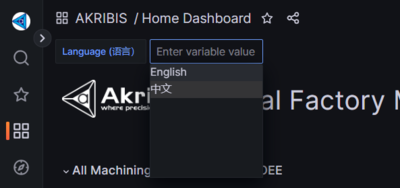
- Click on the language dropdown.
- If you prefer the contents in English, choose English.
- If you prefer the contents in 中文, choose 中文.
# Filter Time Range
Take Note
Some of the contents might not reflect the time range you have picked because it is not intended to reflect based on the time range.
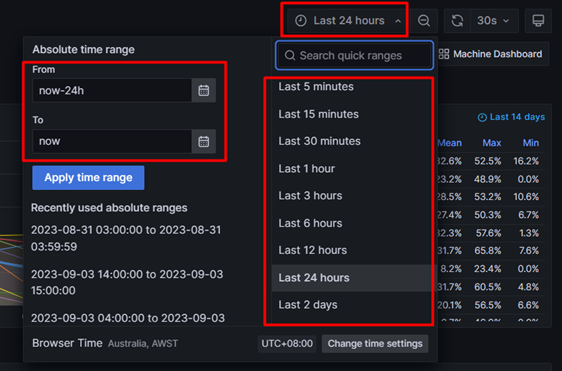
- You can pick the time range you prefer from the drop down.
# Refresh Page

- On top right of the dashboard, you can click on the refresh icon if you would like to refresh the page.
# Profile
# Update Profile
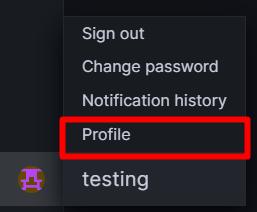
- Click on Profile at the bottom left of the web page.
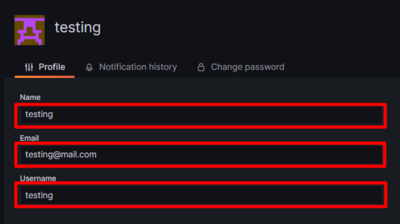
- You can update your Name, Email and Username.
# Change Password
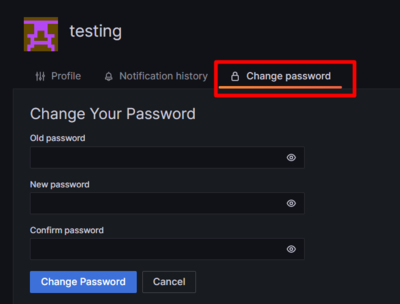
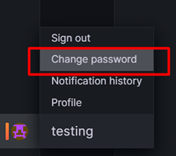
- If you like to change your password, you can click on Change Password.
- Input the correct old password and input the new password of your choice.
- Click on Change Password button.